

 TH
TH JP
JP
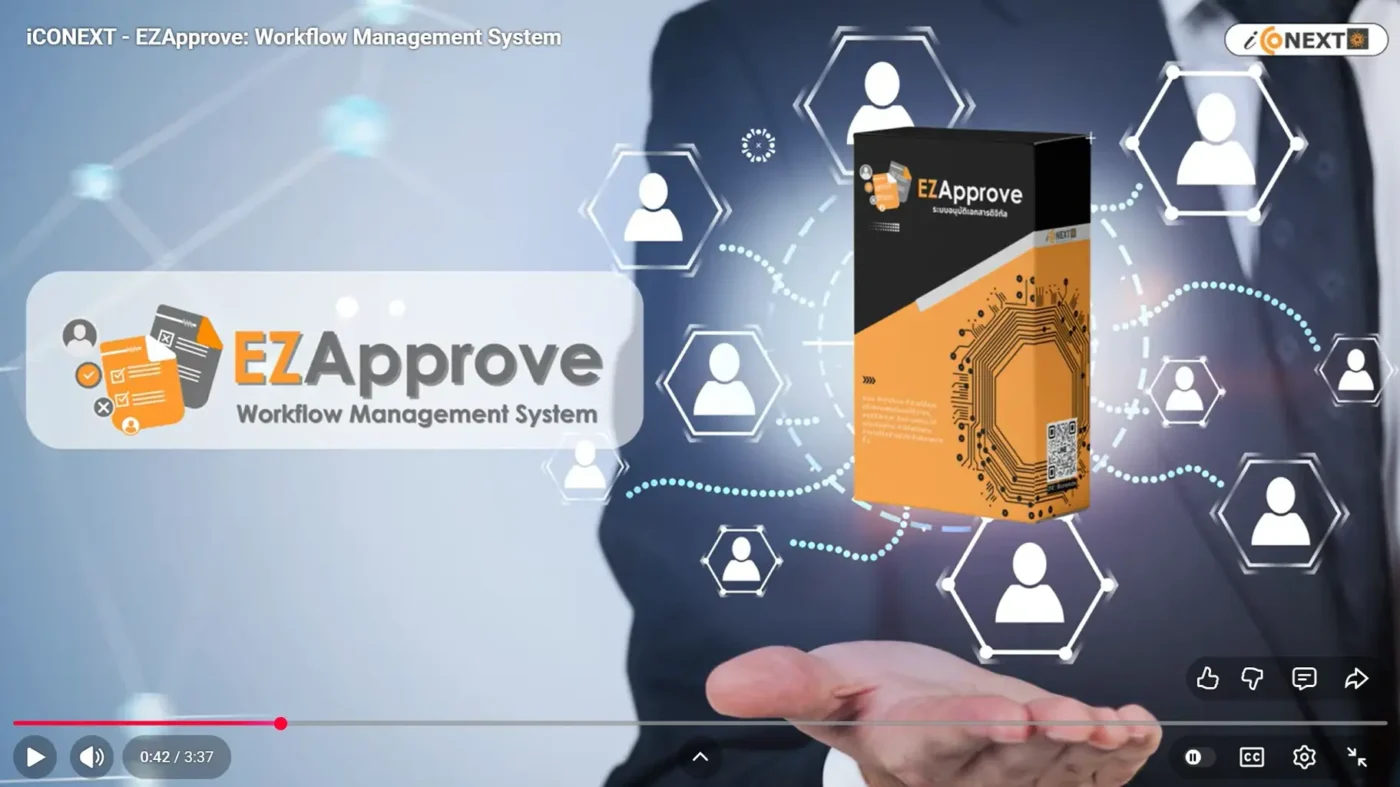
EZApprove is a workflow management system built to help organizations of any size streamline approvals and manage processes more efficiently. It is a ready-to-use solution in the EZ Series, developed by iCONEXT.
In our previous article, “Effortless Templates and Quick Approvals with EZApprove,” we introduced the core capabilities of EZApprove. In this article, we’ll highlight new features that make the system even easier to use and better suited to your organization’s evolving needs.
EZApprove supports a wide range of internal approval workflows, including HR approvals, finance approvals, and administrative requests. It helps teams improve accuracy and speed, while reducing repetitive work across departments.
As businesses grow, workflows often become more complex, requiring coordination between multiple teams, multi-level approvals, and conditions based on company policies. To meet these demands, we’ve enhanced EZApprove with additional features that provide more flexibility and complete support for enterprise-level workflow management.
How EZApprove Streamlines Workflow
EZApprove is an online workflow and approval system that helps organizations manage approval processes in a structured and standardized way. It supports key functions such as:
- Creating online forms in the format you need, replacing paper-based documents
- Defining workflow steps and approvers based on each form type
- Sending automatic email notifications at every stage of the approval process
With these features, organizations can reduce processing time, minimize errors caused by manual paperwork, and significantly improve the efficiency and consistency of internal approvals.
When Workflows Become More Complex
In many organizations, a single request does not end within one department. It often involves multiple departments and must go through several approval levels based on budget thresholds or authorization limits. If the system is not flexible enough to accommodate these requirements, processes can become delayed and more prone to errors.
That’s why we enhanced EZApprove to specifically support complex organizational workflows. The system is designed to align with real-world business operations and effectively support organizations of all sizes.
New Features in EZApprove
★★ Configure Forms for Cross-Department Collaboration ★★
Some approval requests require input and action from multiple departments. To support this, we’ve enhanced EZApprove so that you can set up forms with multiple sections. This makes it easier to route information to the relevant teams and continue the process smoothly.
For example, if an employee requests budget approval for a training course, the workflow can proceed as follows:

- The employee submits the training request details.
- The system routes the request to the direct supervisor for review and approval.
- The system sends the request to the department head for approval.
- It goes to the admin team to add any required additional information.
- Finally, the accounting team reviews and approves the request.
In the configured form, the information is displayed in clearly defined sections, as shown below:
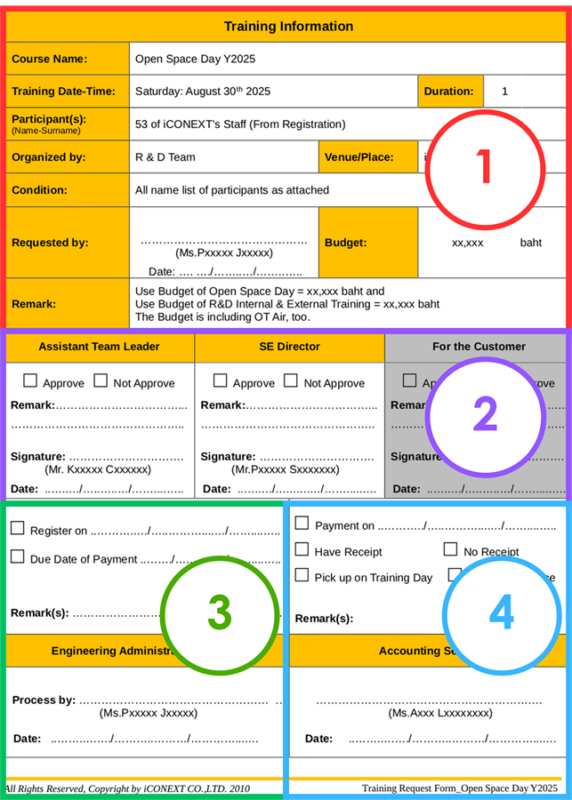
- Section 1: Displays the training request details
- Section 2: Shows the approvals from Approver 1 and Approver 2
- Section 3: Contains additional information completed by the Admin department
- Section 4: Includes additional details provided by the Accounting department, along with the final approval status
★★ Set Approval Workflows Based on Amount ★★
EZApprove allows you to configure approval workflows in various formats, such as:
- Approval by department and position
- Approval by position only
- Approval by a specific person within a department
- Allowing the requester to select the approver when submitting the request
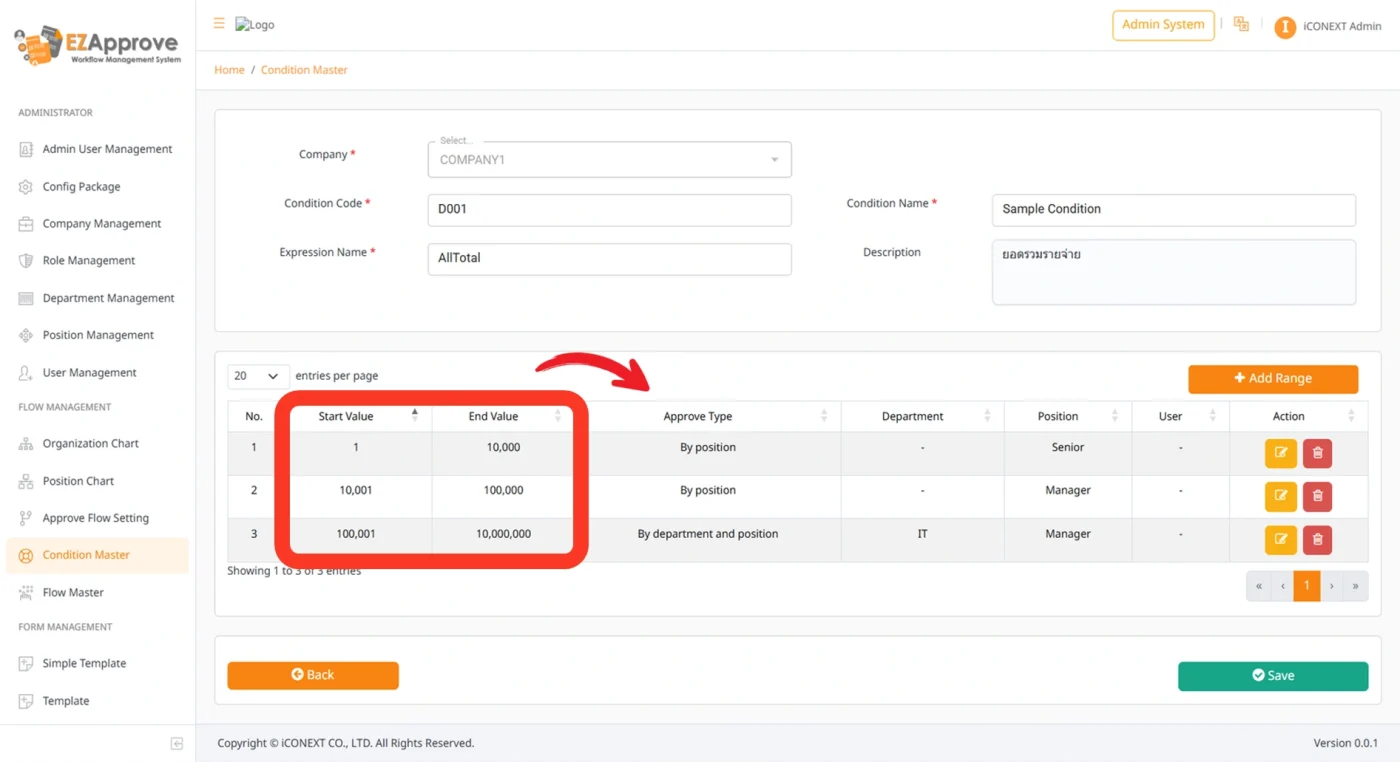
In large organizations, expense claims often involve significant amounts. To reduce risk and enhance transparency in the decision-making process, we have introduced a new feature that enables approval workflows to be defined based on the requested amount.
For example:
🔹Requests between 1 – 10,000 THB can be configured for approval by a Manager.
🔹Requests between 10,001 – 100,000 THB or more can require approval by a Manager, with an additional approval step from an Executive if needed.
This feature ensures that higher-value requests receive the appropriate level of review while maintaining efficiency and control within the organization.
★★ Export to Excel and Customize PDF Formats ★★
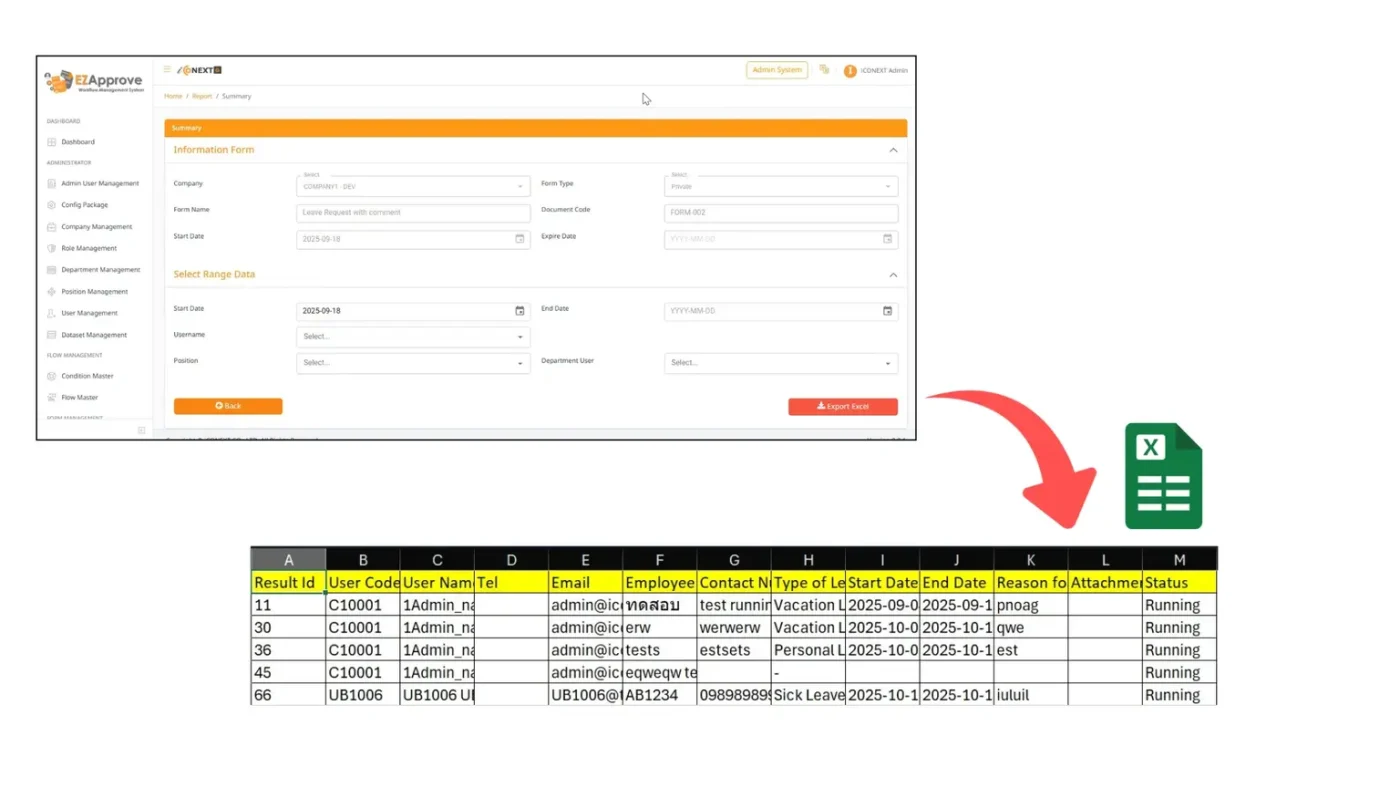
EZApprove allows you to export form data to Excel files, making it easy to generate reports, analyze data, or integrate information with other systems.
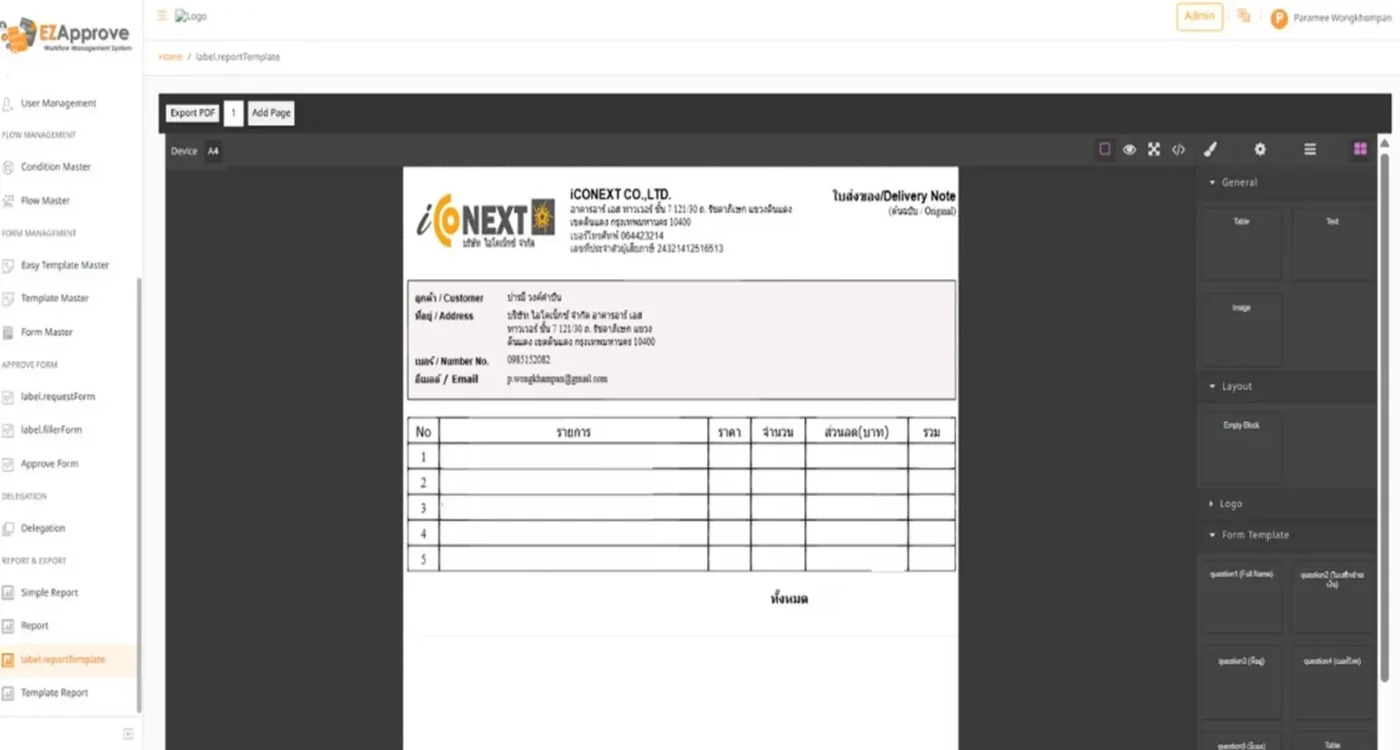
Additionally, the system supports customizable PDF form templates. With a simple drag-and-drop interface, administrators can freely design the layout and arrange elements such as the company name, logo, headings, and data fields to match the organization’s preferred format.
Moreover, once administrators create multiple templates in advance, users can simply choose the desired form type and generate the PDF for printing whenever needed.
EZApprove provides a ready-to-use solution and allows you to further customize it to meet your organization’s specific requirements.
If you’re interested in a system demo or would like more information, please feel free to contact us at thaisales@iconext.co.th or click Inquiry Form to submit your details and we will get back to you.
Click here to download EZApprove brochure
Read more:
EZHR: Customizable employee data management system
Effortlessly request, approve, and assign your company cars with our EZBooking system

